← Back to work
Web App · Agri-Tech Platform · Shipped
One nav bar for every job that used to run on phone calls and memory.
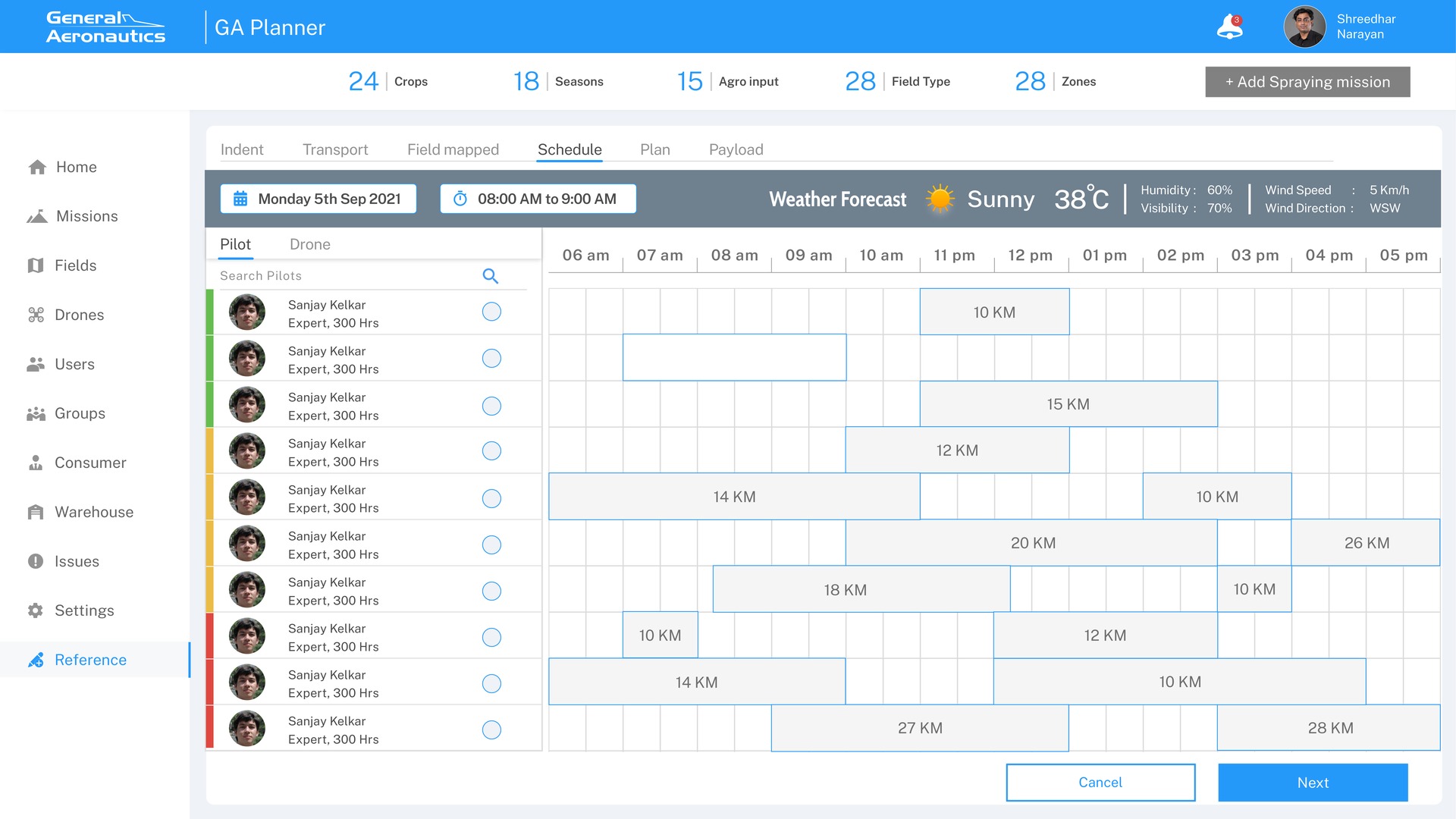
The command platform behind General Aeronautics' drone-spraying operations: one app to schedule spray missions, assign the nearest available pilot and drone, and manage every farmer, field, warehouse, and user account behind that mission.
Mission scheduling, pilot and drone assignment, farmer records, warehouse tracking, and compliance paperwork were each their own scattered process, with phone calls, spreadsheets, and memory standing in for a real system.
I designed the spray-mission flow as the core loop (pick a field, match the nearest available pilot and drone, dispatch), then built the surrounding modules it depends on: Fields, Drones, Users, Groups, Consumer, Warehouse, and Notifications & Reminders, all under one home dashboard.
It now runs the day-to-day of GA's drone-spraying operations.
General Aeronautics runs drone-spraying missions for farmers. Mission scheduling, pilot and drone assignment, farmer records, warehouse tracking and paperwork were separate processes, run on phone calls, spreadsheets and memory.
The brief was one platform to run it all. I led the design of GA Planner with 1 designer over 12 months, across the web platform and the pilot mobile app, from the home dashboard to every admin module.
I worked with General Aeronautics' operations team to map how a spraying request became a mission, and where it stalled.
Every module exists to feed one loop: pick a field, match a pilot and a drone, fly, and report.
The closest pilot may already be booked. Dispatchers need distance and availability side by side.
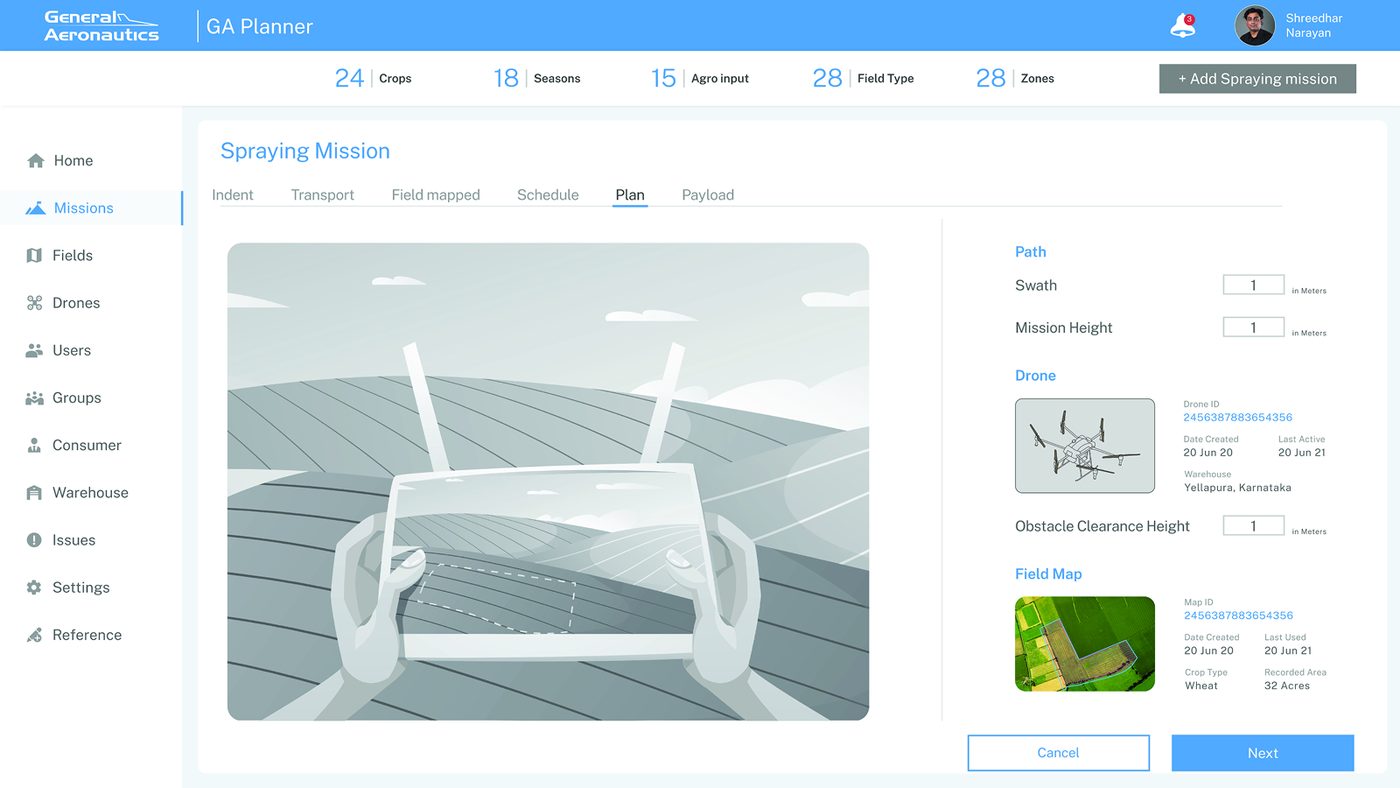
Indent, transport, field mapping, schedule, plan and payload always follow each other, so the screens should too.
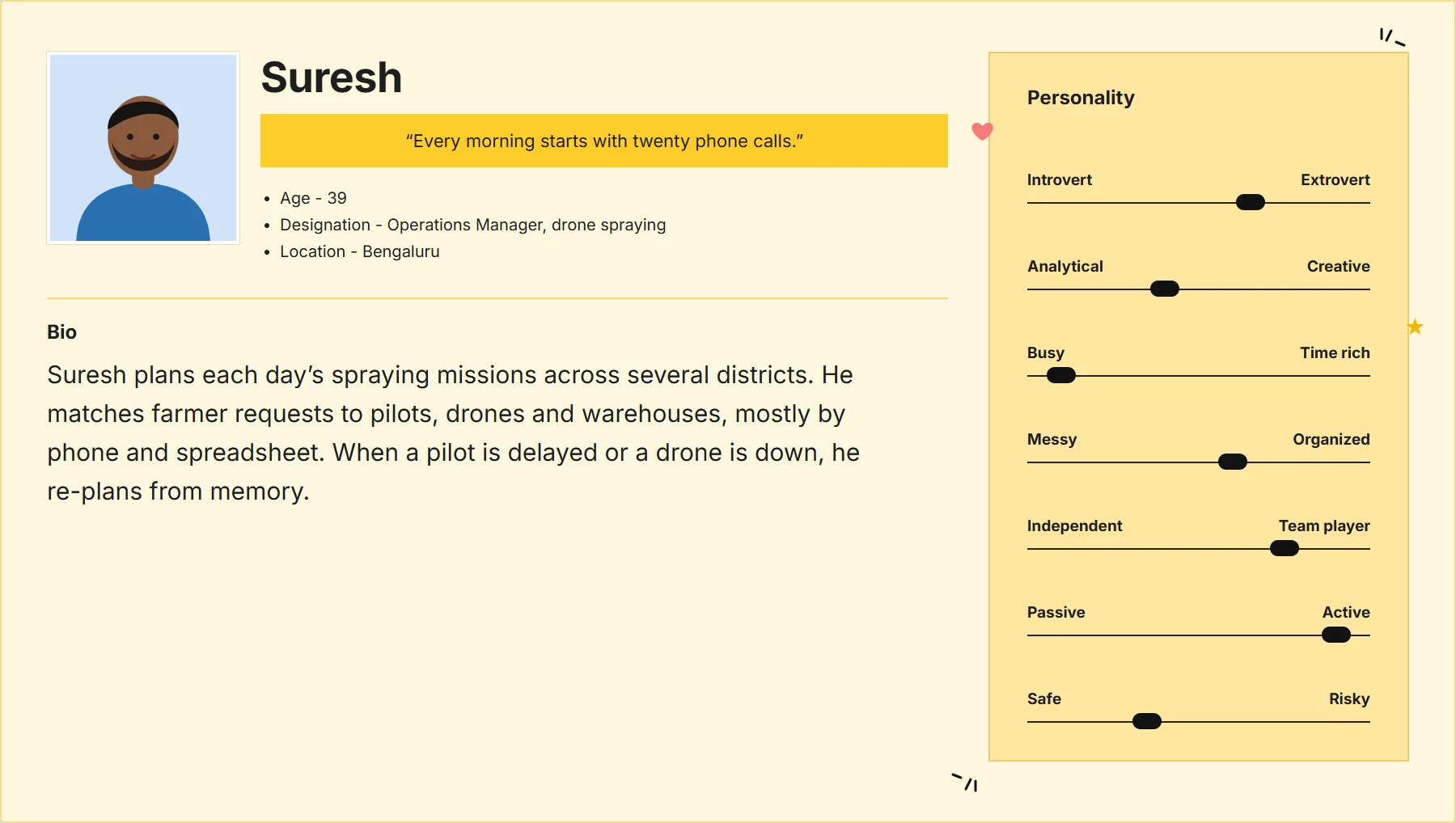
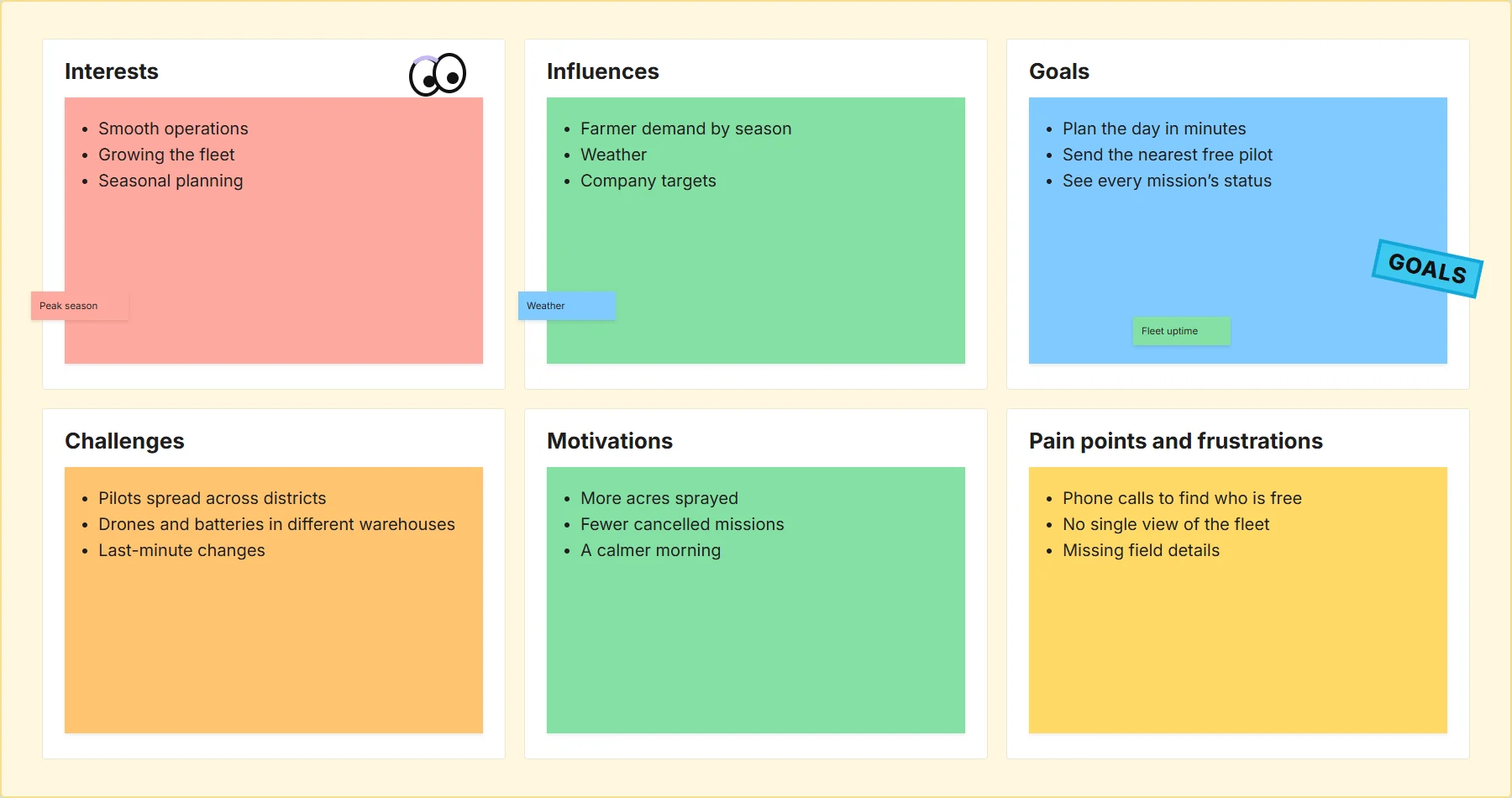
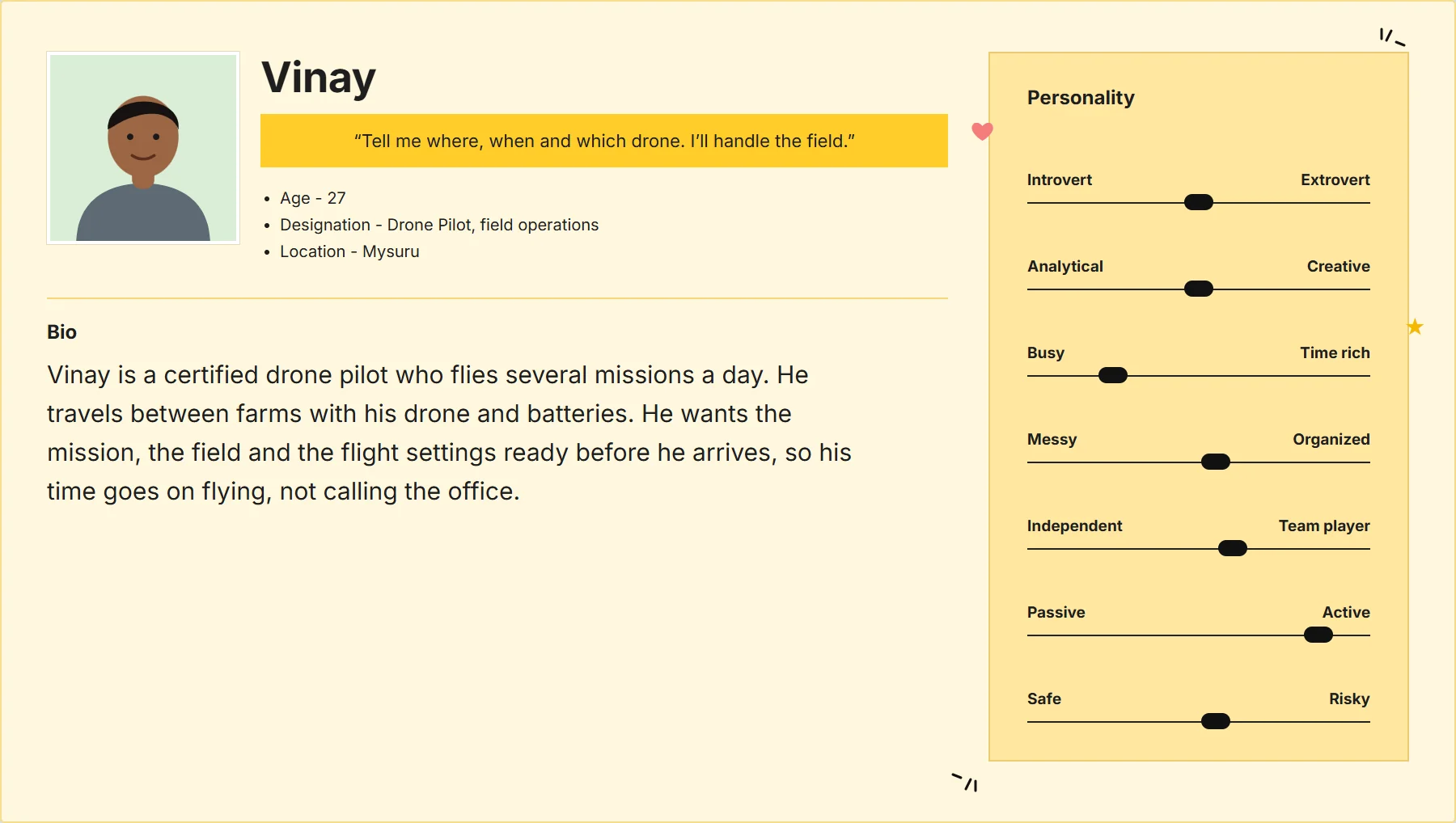
Two personas, one in the office and one in the field. They came from the GA operations team and pilots.
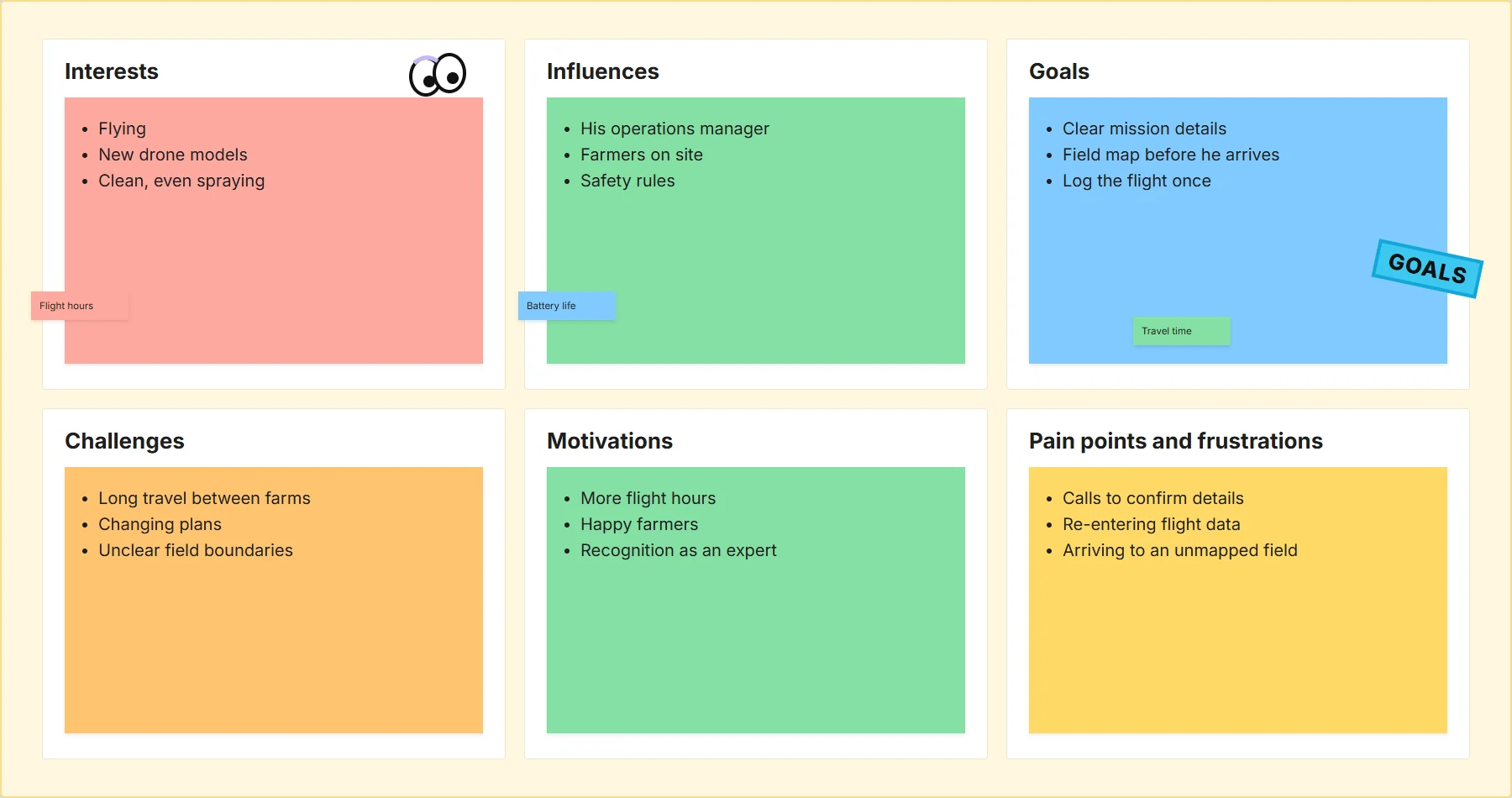
| Request | Prepare | Assign | Fly | Report | |
|---|---|---|---|---|---|
| Doing | A farmer asks for a spray | Ops checks the field, crop and inputs | Ops finds a pilot and a drone | The pilot flies the mission | Ops records the result and bills |
| Pain | Requests by phone, details missing | Field data in different places | Calls to find who is free | Plans change on the ground | Results written up later, if at all |
| Design response | An indent with farmer, field and crop | Transport and field mapping as their own steps | Pilots sorted by distance with availability | Path and drone settings beside the field map | A post-flight summary for every mission |
The first ask was mission scheduling. But the schedule only works if the records behind it do: pilots from Users, fleets from Drones, farmers from Consumer, bases from Warehouse.
How might we let an operations team plan, assign and close a spraying mission in one place, without a single phone call to find out who is free?
I sketched the mission flow and the module pattern before designing the screens. The notes in the margins are the job of each screen.
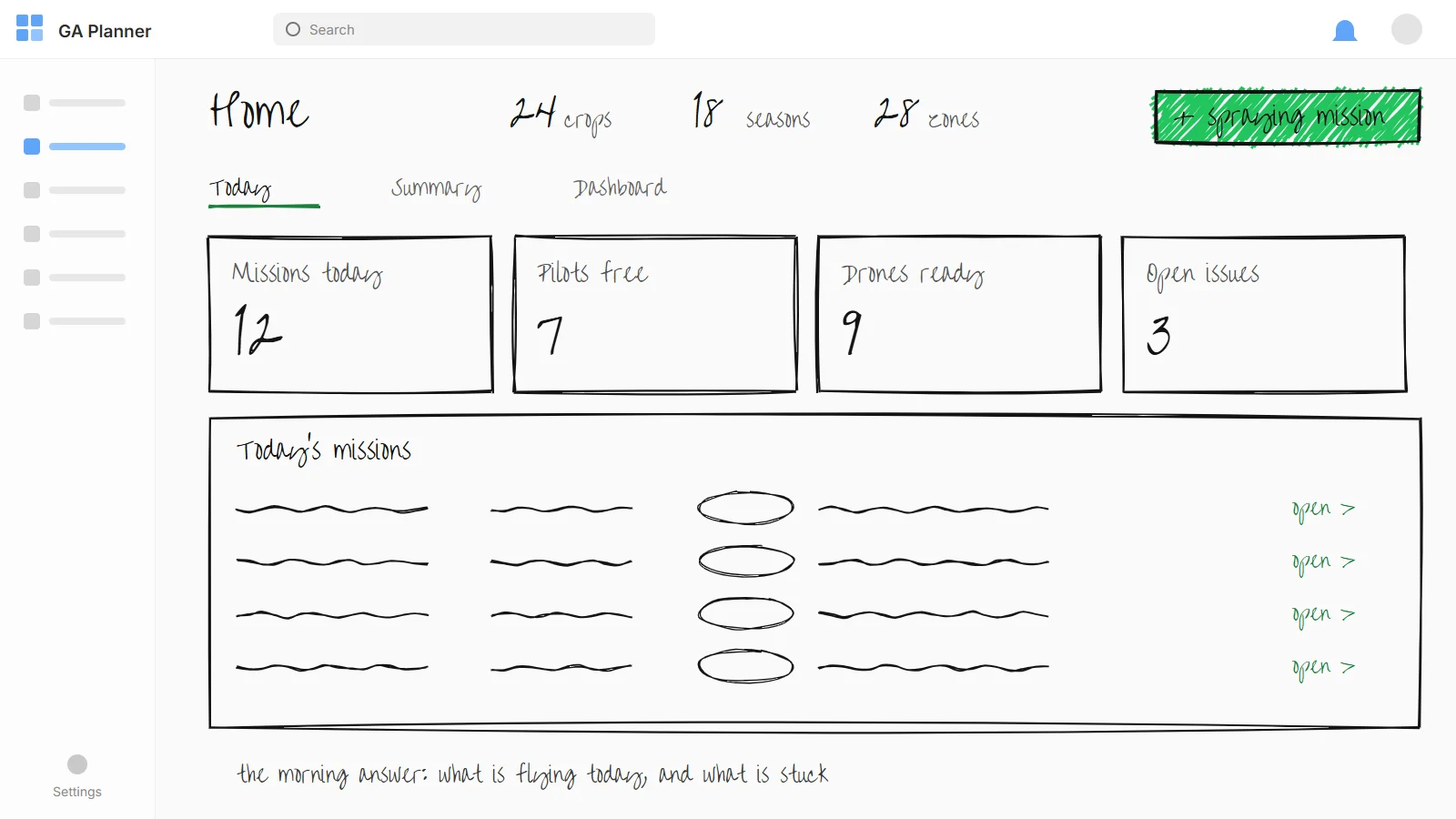
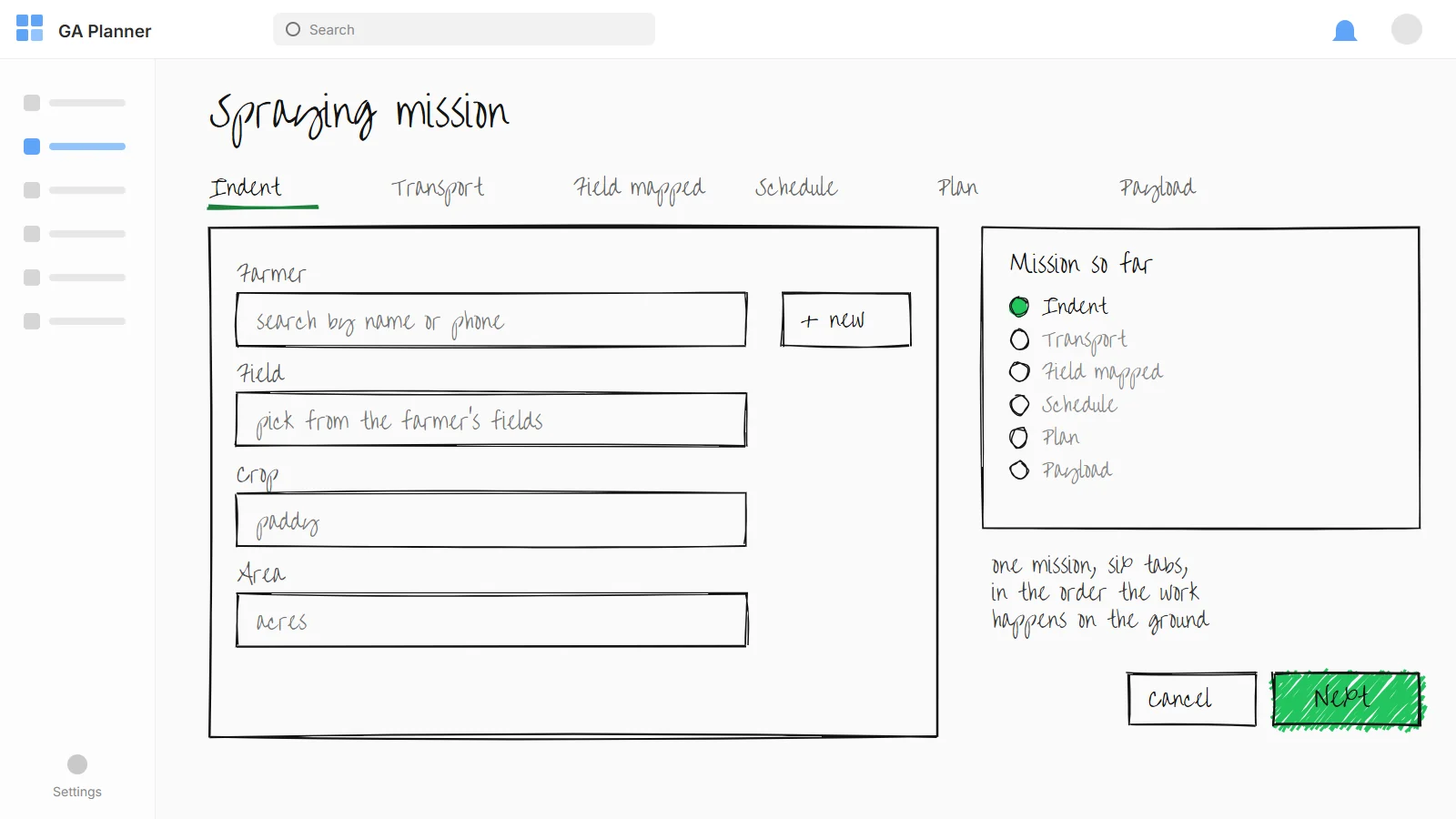
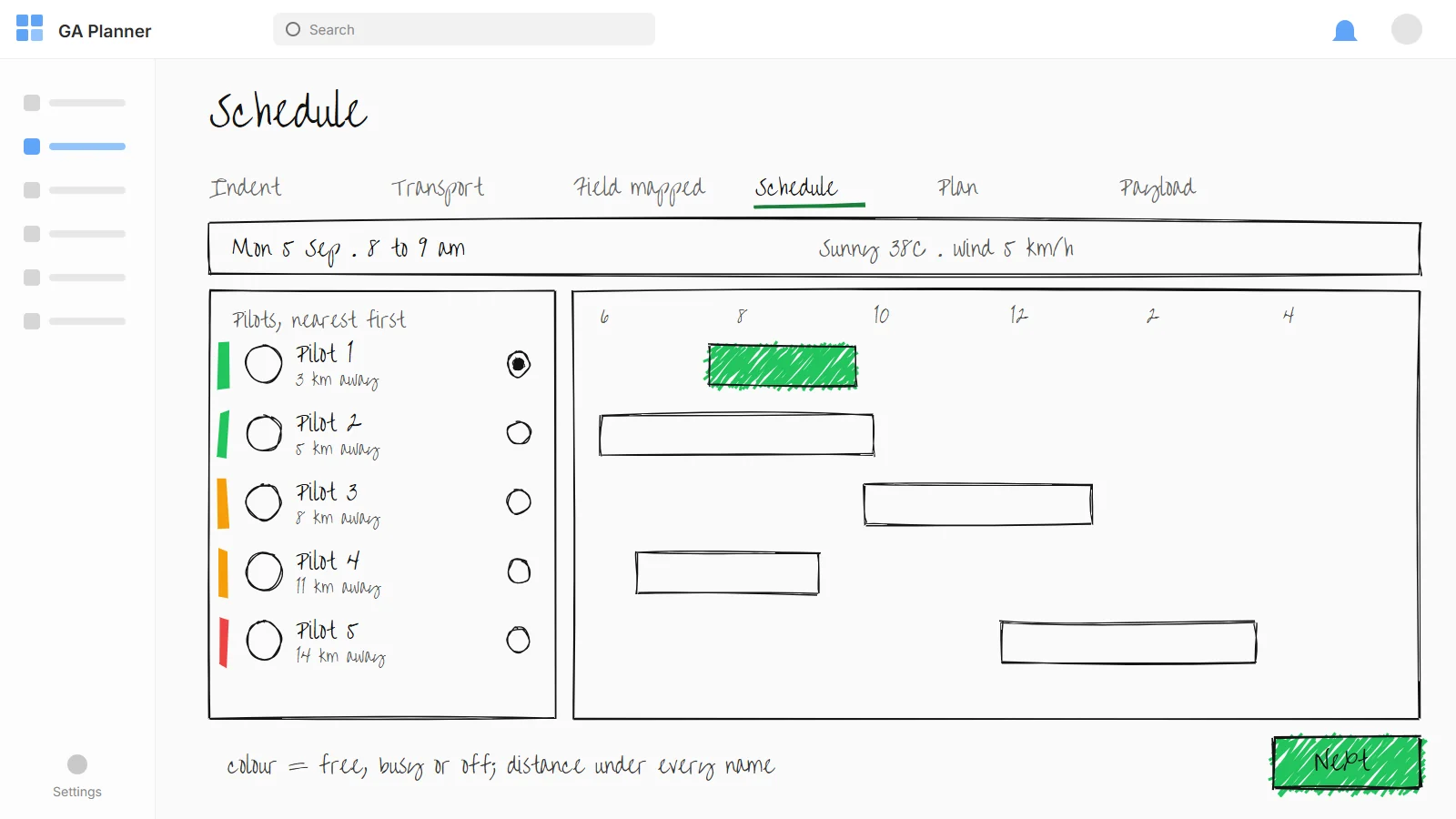
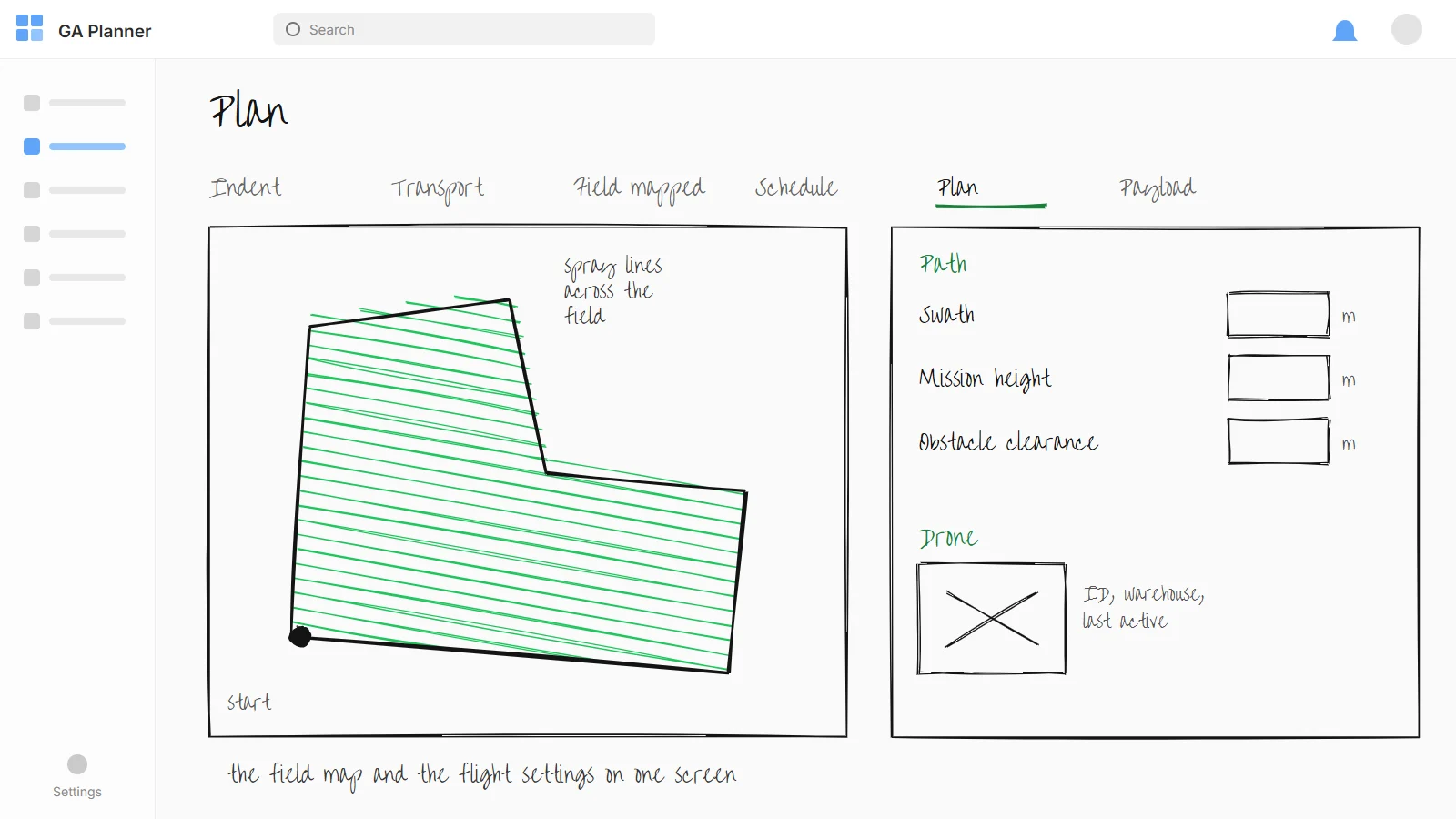
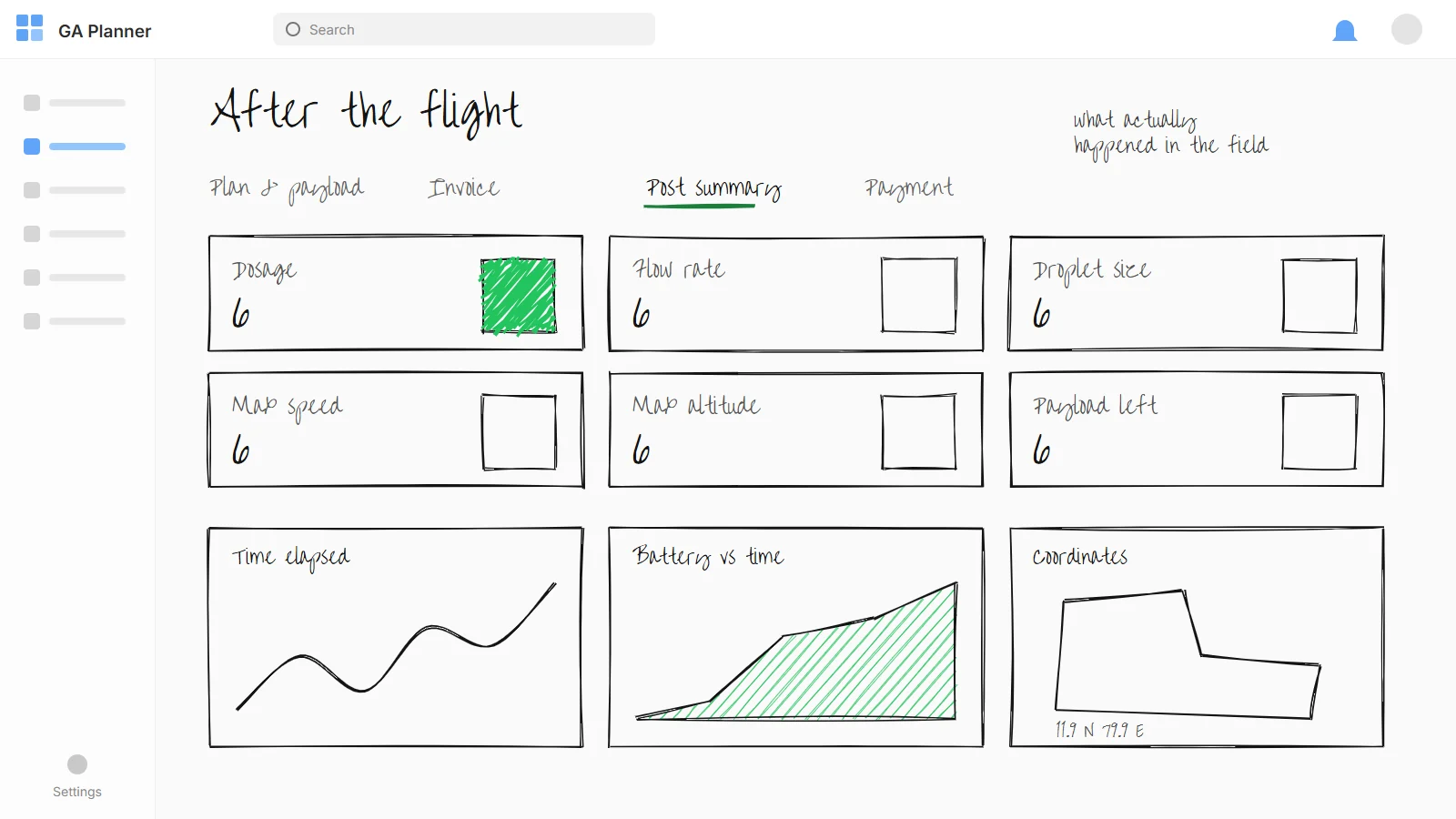
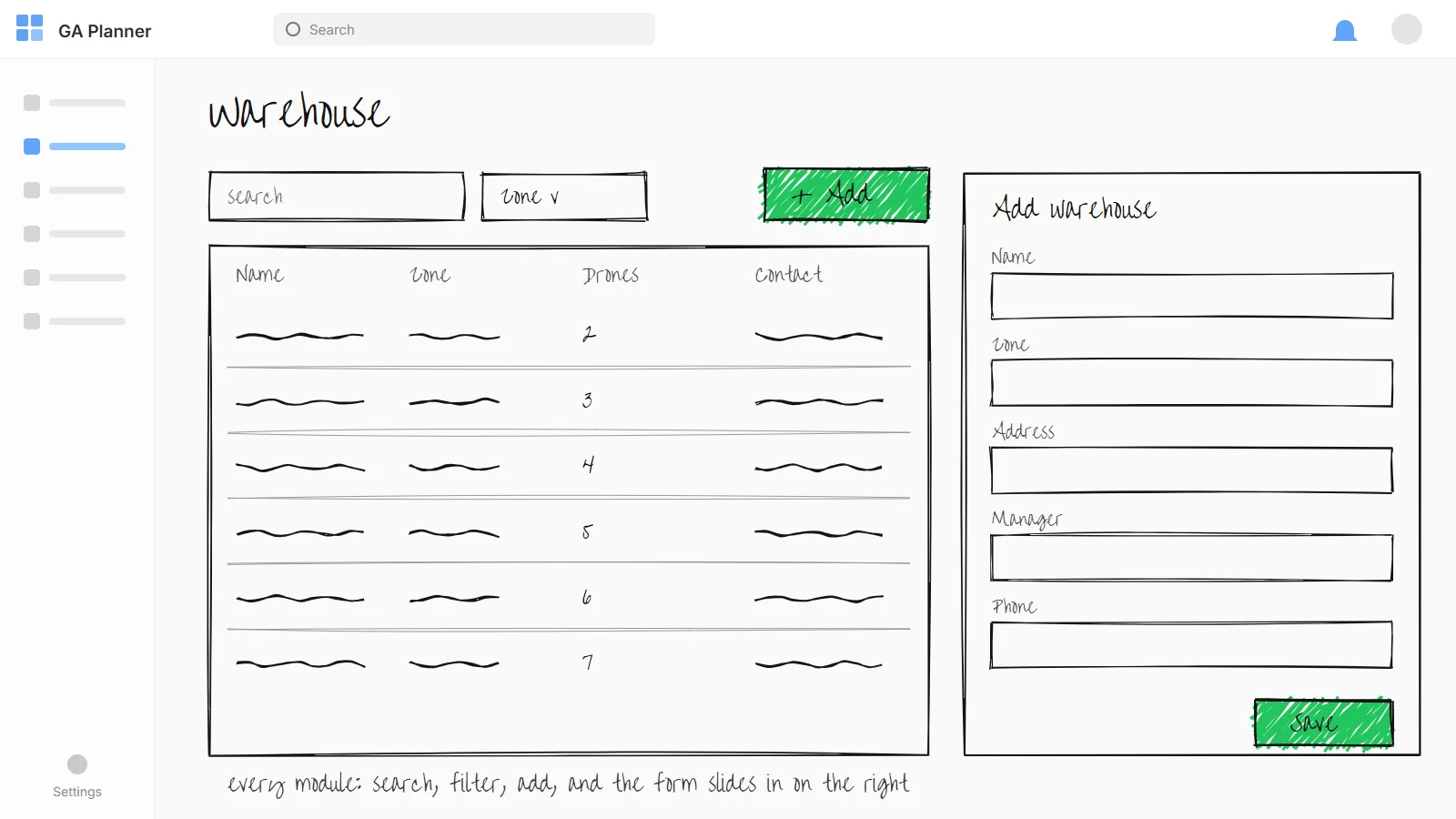
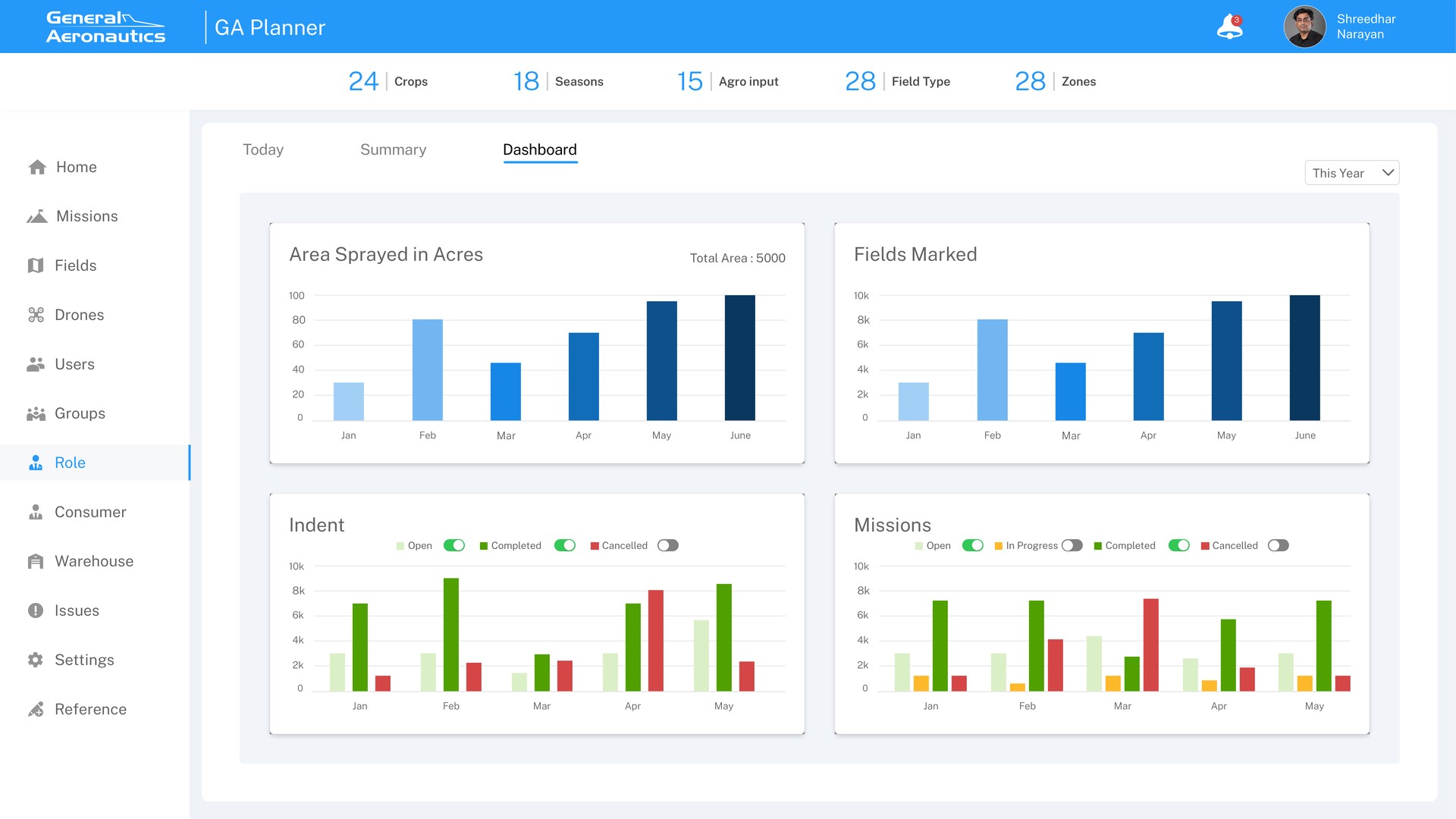
Missions, fields, drones, users, groups, consumers, warehouses and notifications sit in one sidebar, with crops, seasons and zones counted across the top. Every module uses the same list, filter and add pattern.
The schedule lists pilots with an availability colour beside a time grid of their booked missions and distances. The dispatcher sees who is close and who is free on one screen.
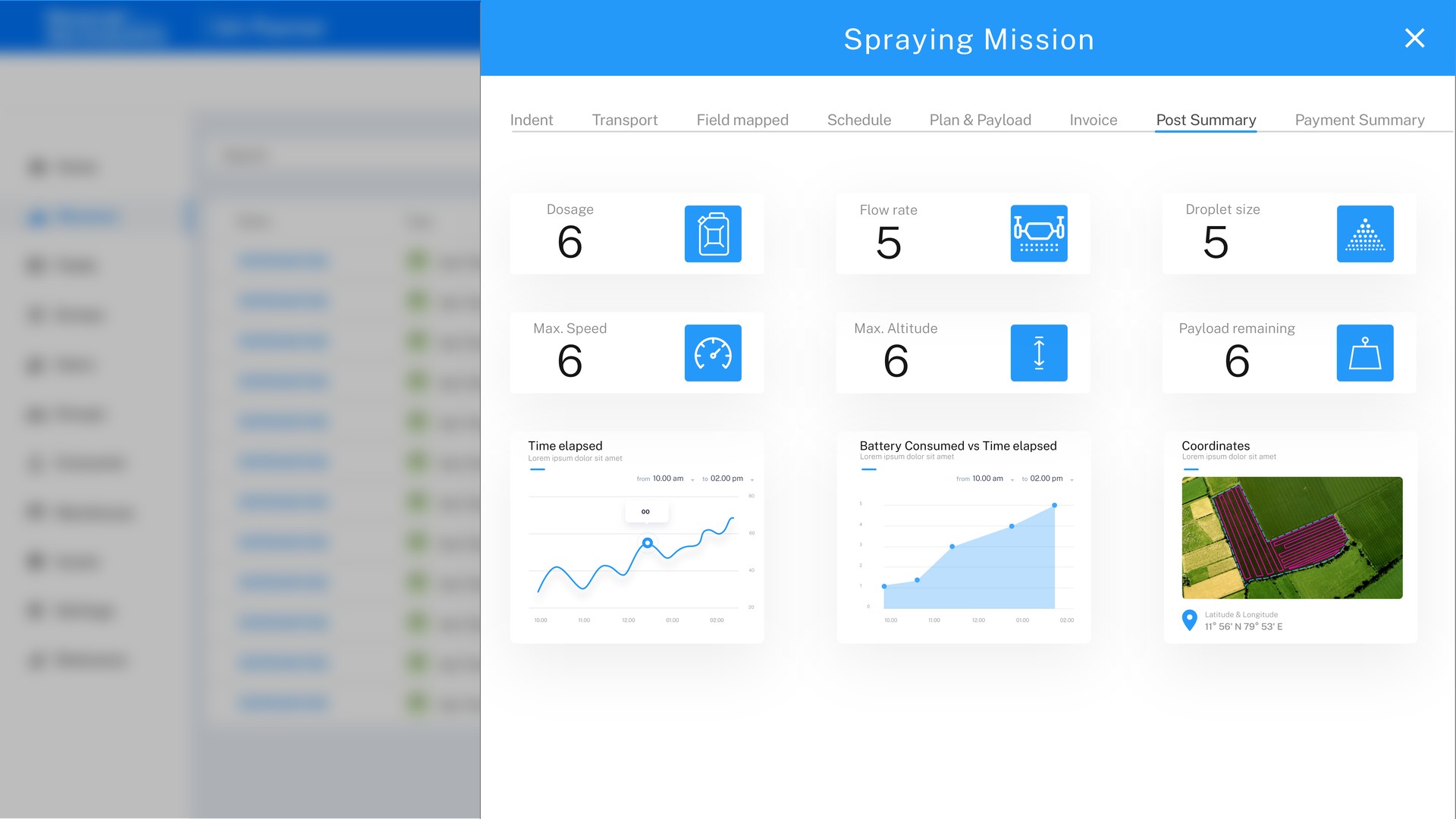
Every mission ends with a post summary: dosage, flow rate, droplet size, speed, altitude, payload left, battery use and coordinates. The office sees what happened without a phone call.
I led the design across the web platform and the pilot mobile app, including all of its mission planning screens, with one designer. I set the shared patterns for every module so both of us could design in parallel, and reviewed each module with the GA operations team before handoff.
The home dashboard gives the daily overview; the spray-mission flow, from schedule to field and drone plan, is the core loop. Around it: the people, fleet, and records modules that keep that loop trustworthy.
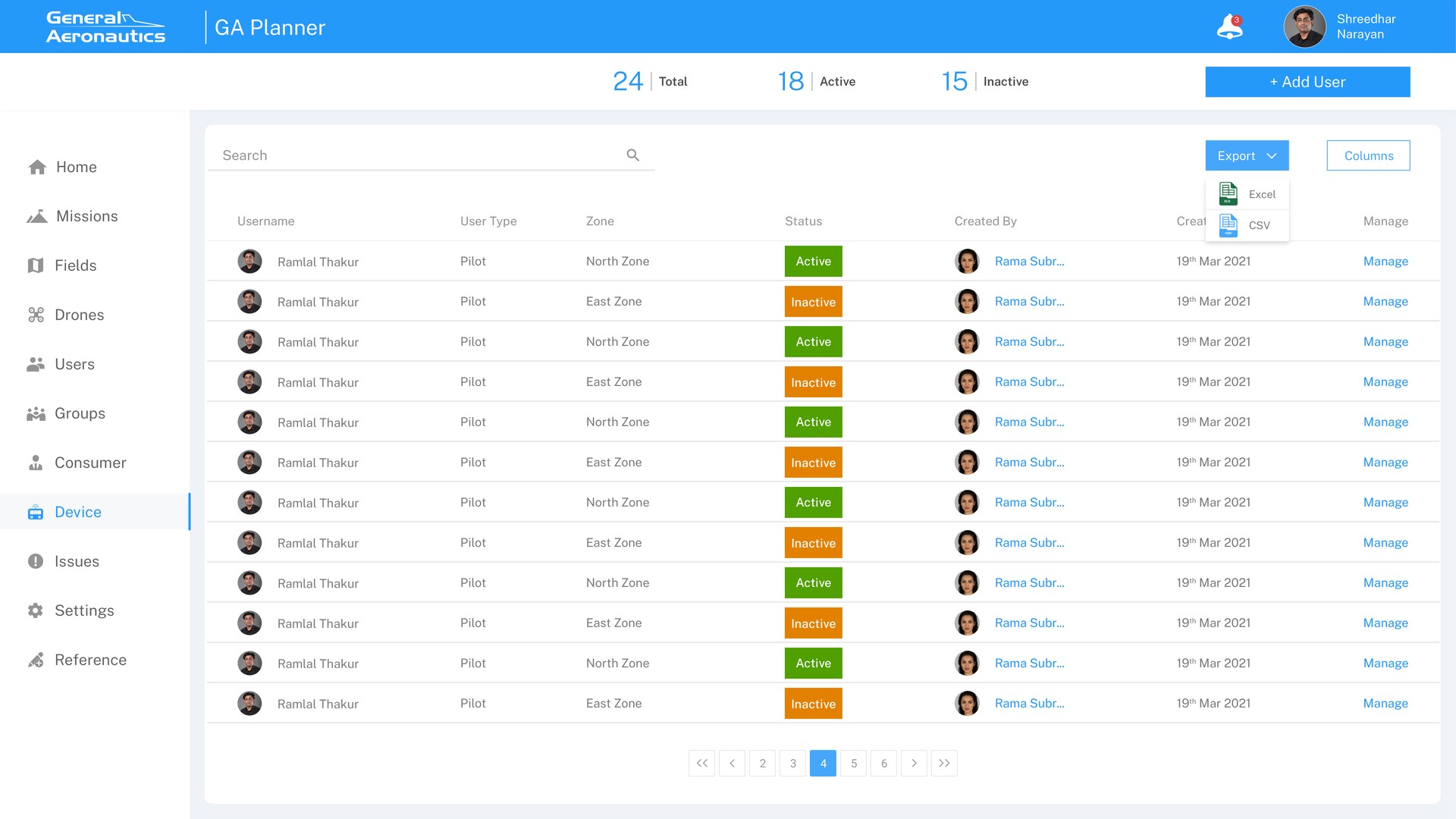
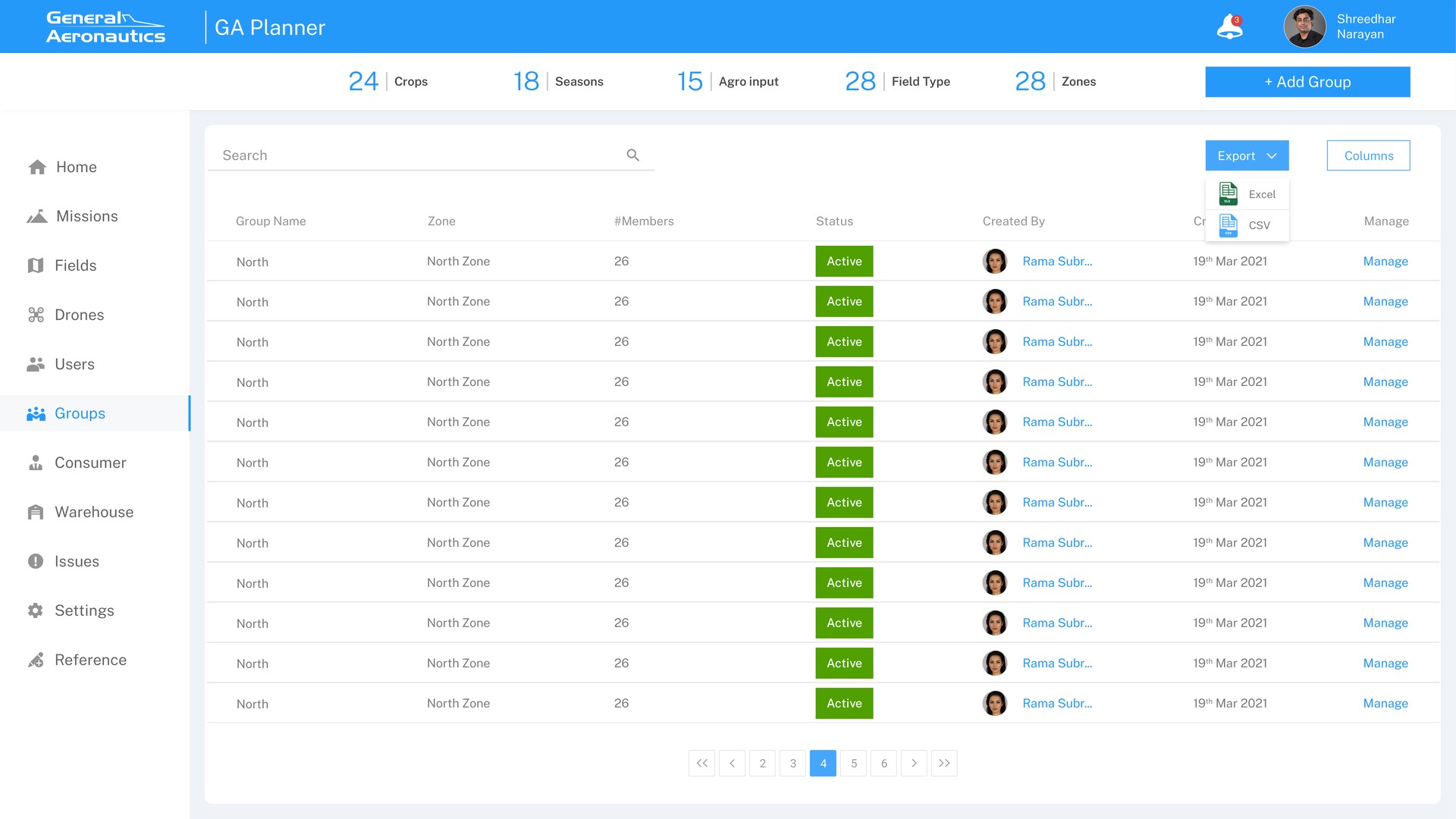
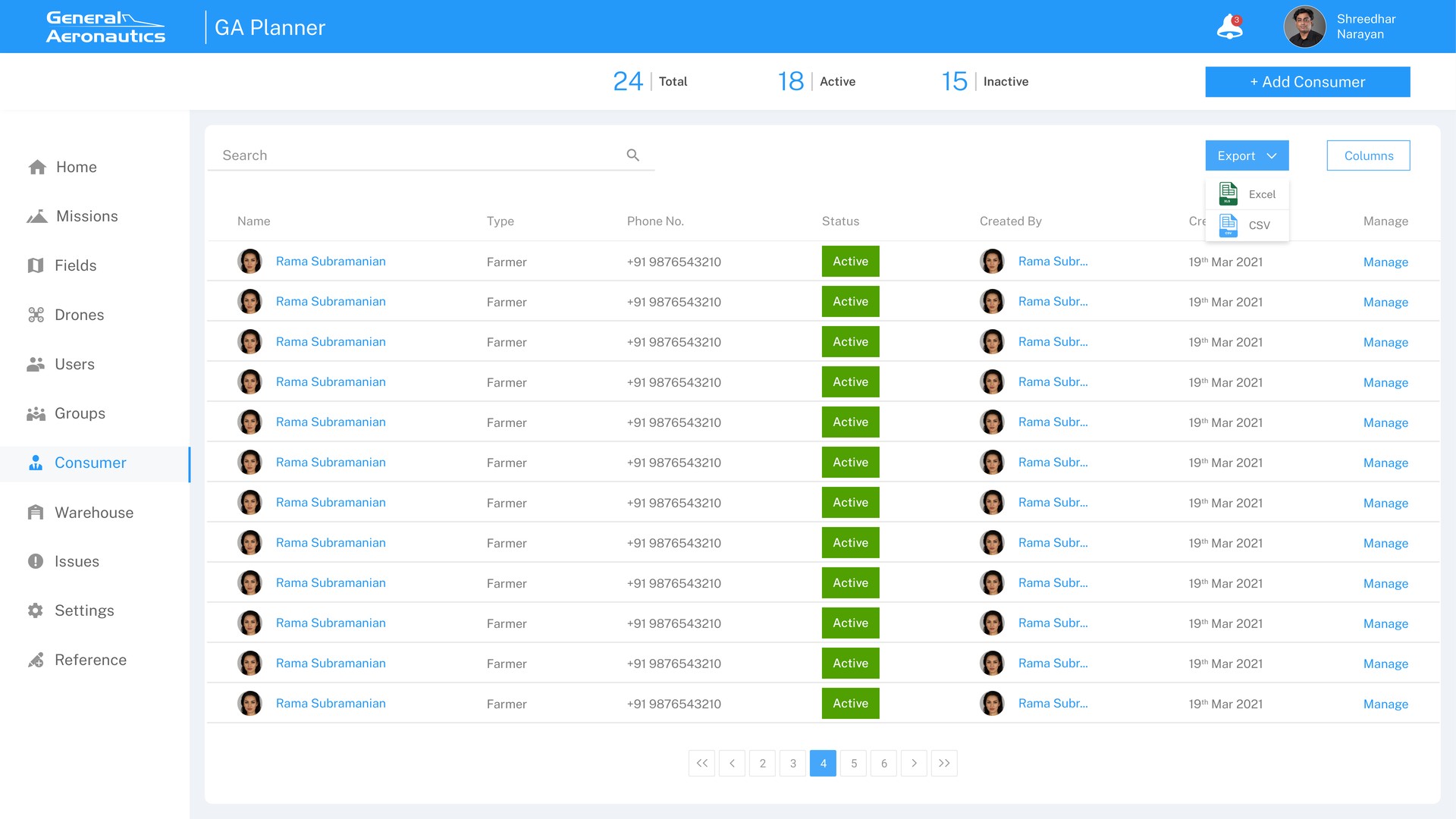
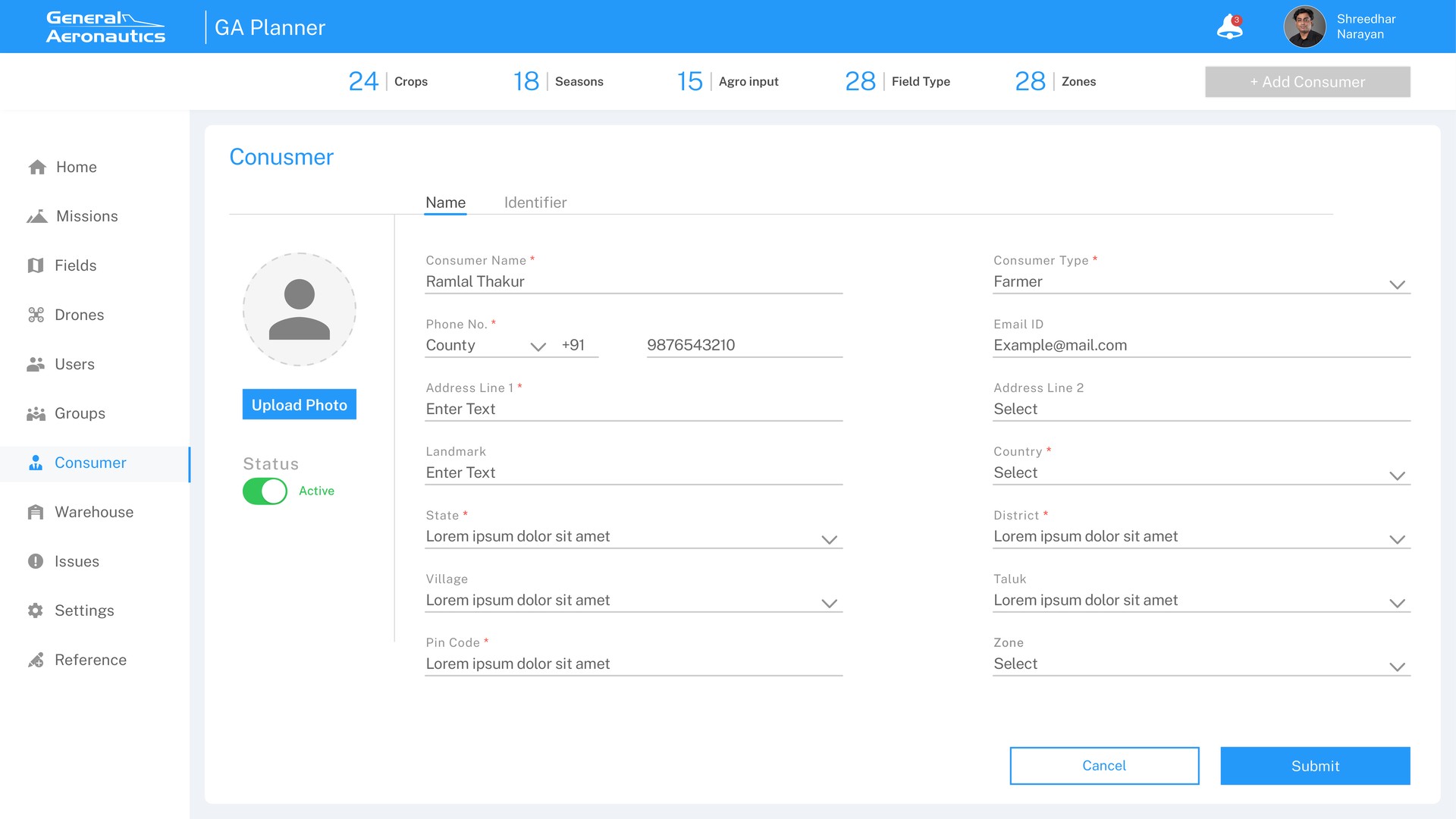
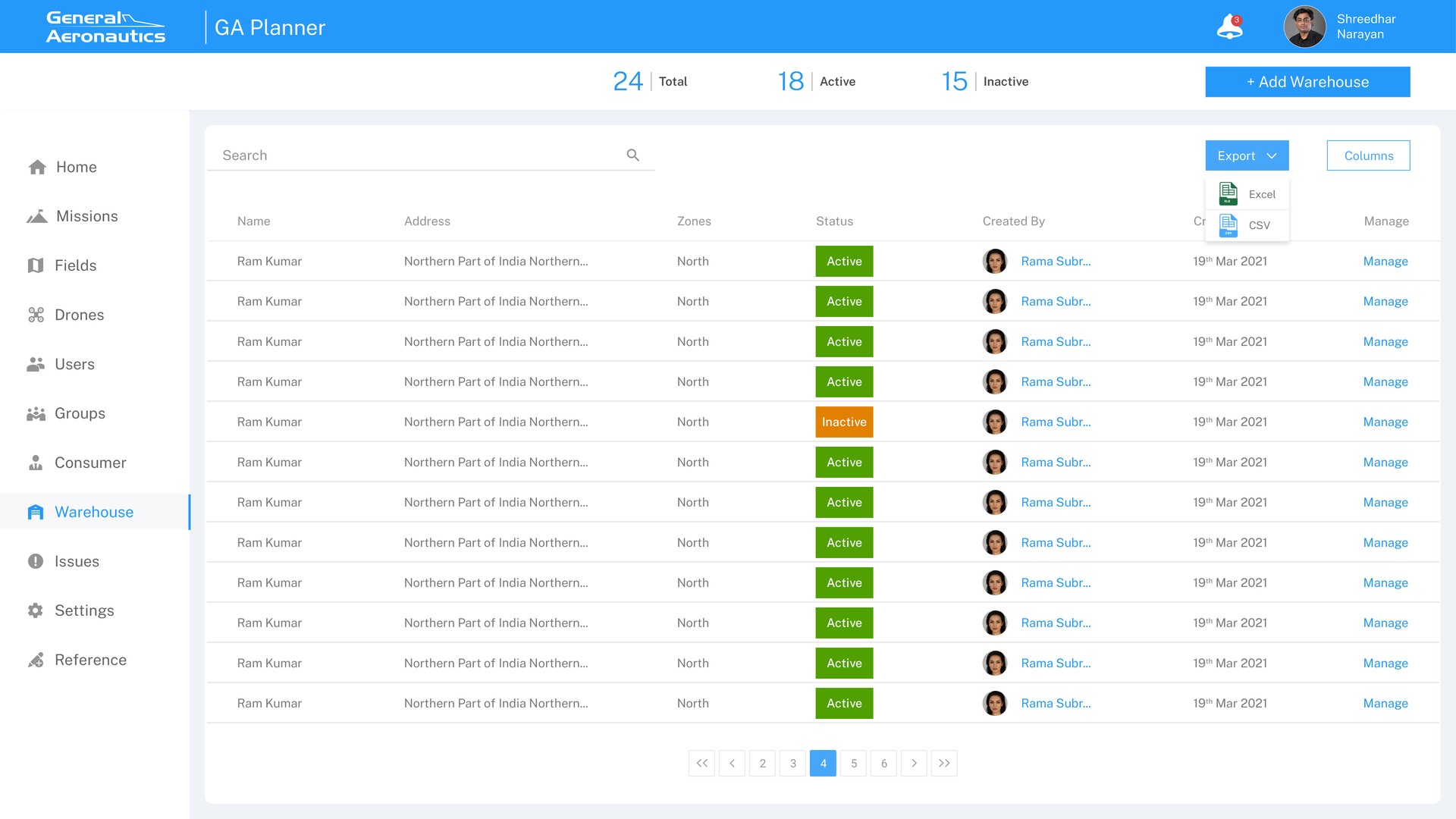
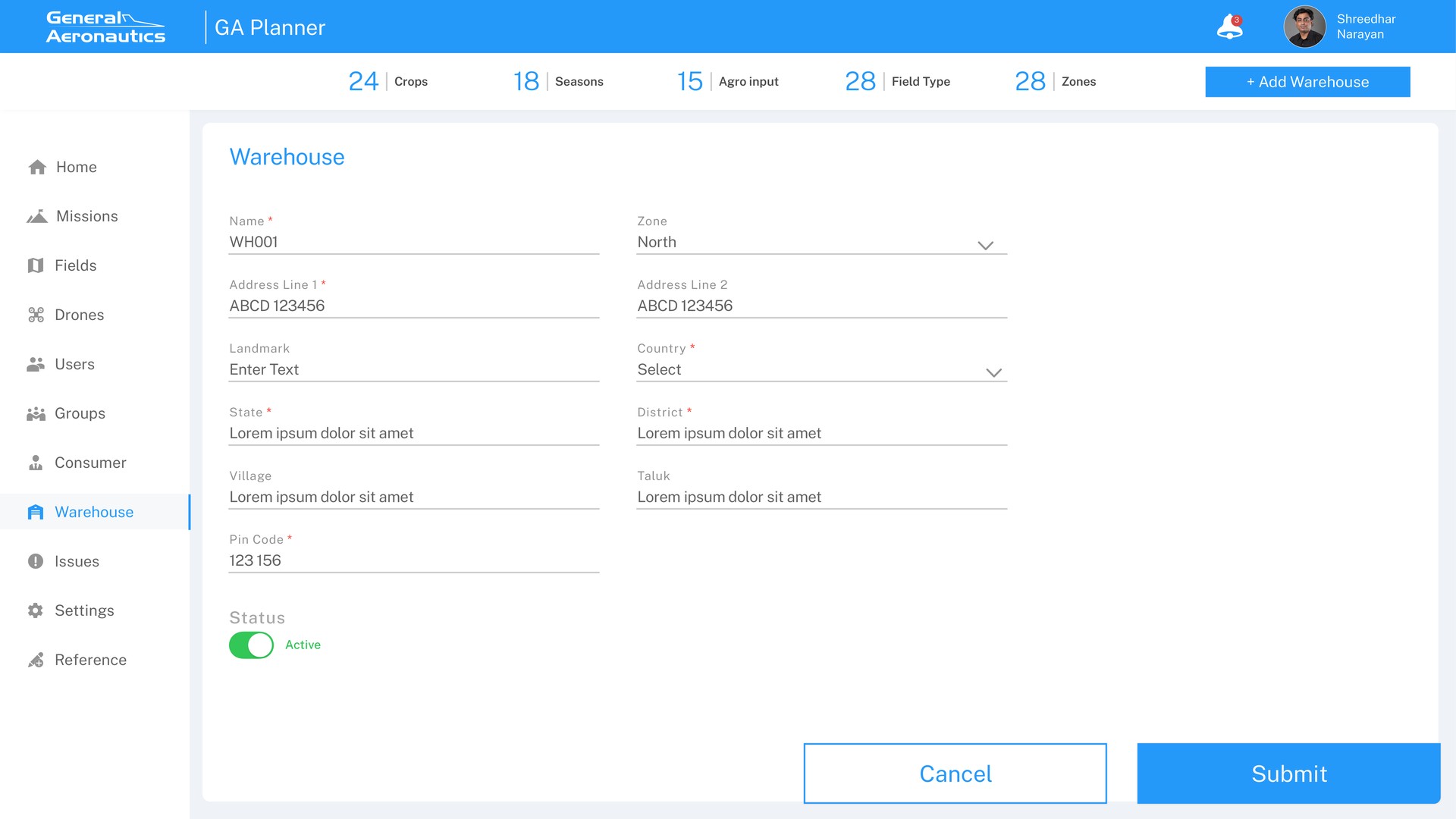
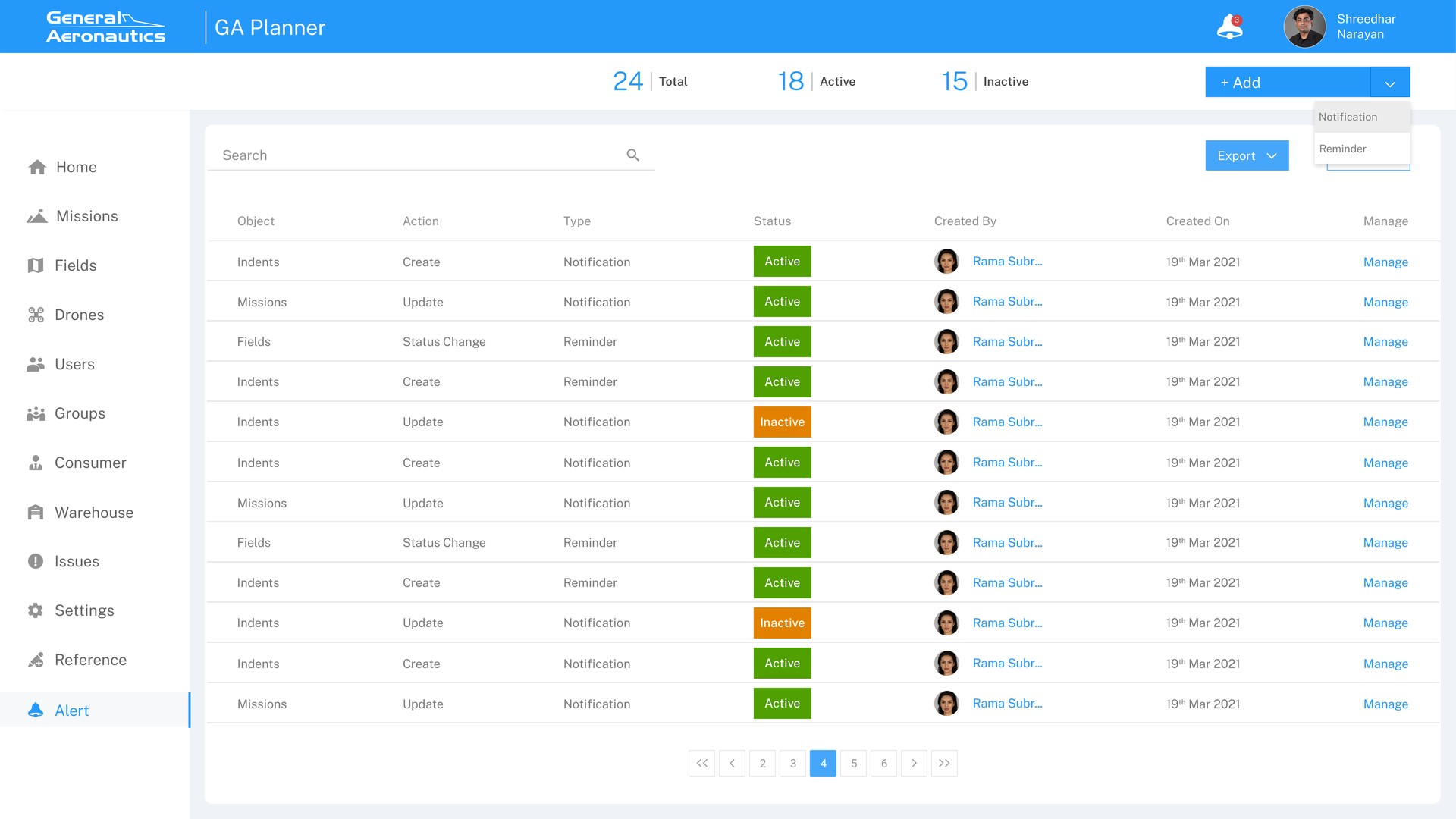
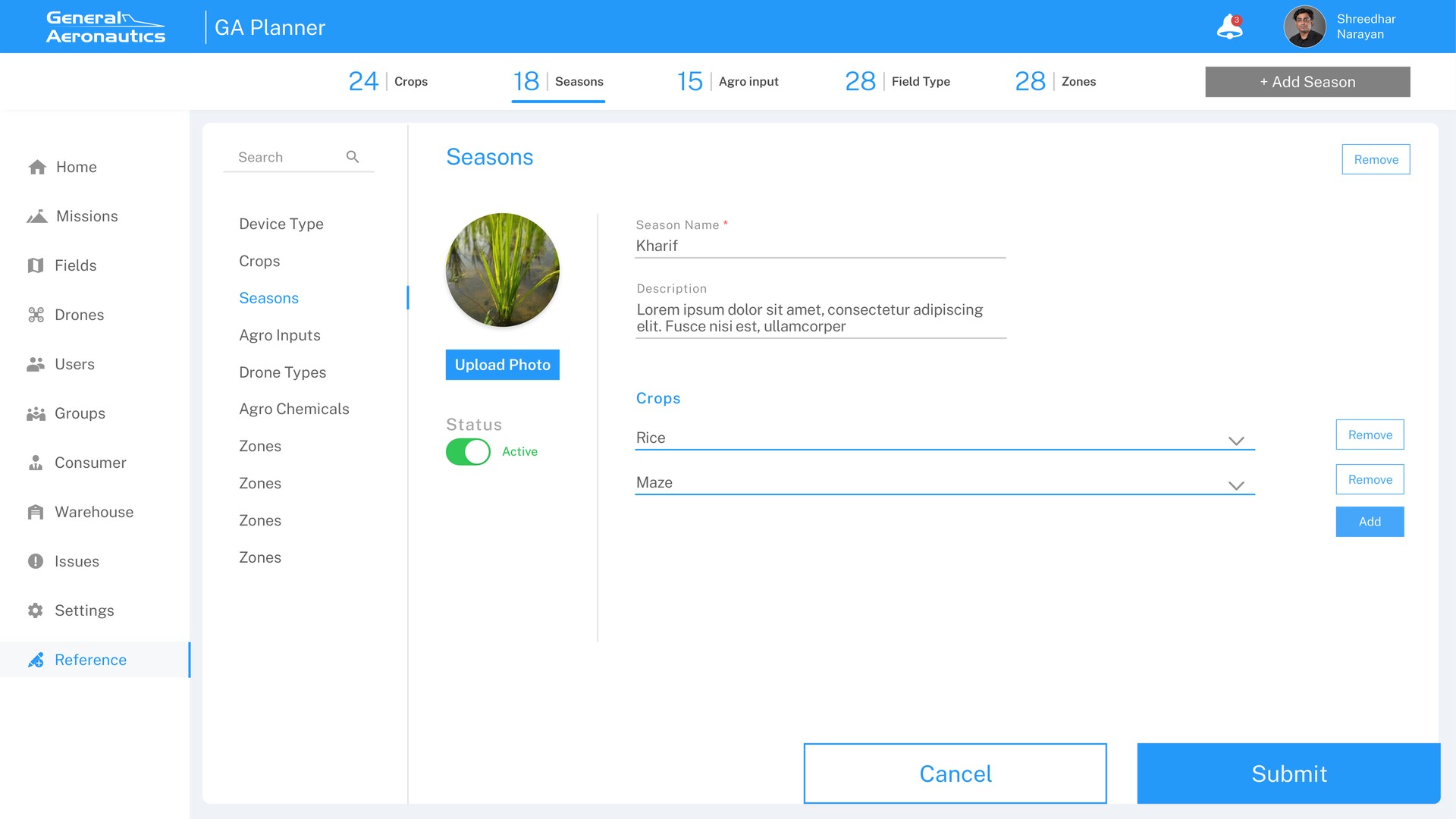
I also designed Fields, Drones, Issues, and Settings, which make up the rest of the admin backbone.
GA Planner is in production and runs the day-to-day of General Aeronautics' drone-spraying operations, across more than 10 modules.
On an operations platform, consistency is a feature. Once every module worked the same way, the team trusted the system enough to stop calling each other.
Add a confidence score next to each suggested pilot match.